Cipher requires the following three custom profile options to be created in EBS for the integration to work with Cipher APIs.
- Cipher: API Key
- Cipher API keys are generated from the Cipher Application Profiles page. Without an API key EBS will be unable to use Cipher APIs.
- Cipher: Instance Name
- Cipher is capable of hosting multiple instances that can work with multiple environments. This is set to the Cipher instance name you want this particular EBS environment to communicate with.
- Cipher: Web Service URL
- This is set to the Cipher application web URL that hosts the API key and the Cipher instance name set in the other profile options.
These profile options can be created using either the EBS System Administrator or Application Developer responsibilities.
- System Administrator -> Define Profile Options
- Application Developer -> Profile
Create “Cipher: API Key”
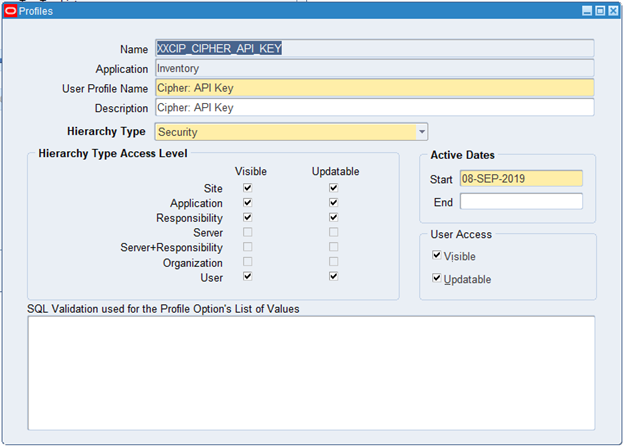
Name: XXCIP_CIPHER_API_KEY
Application: Inventory
User Profile Name: Cipher: API Key
Description: Cipher: API Key
Hierarchy Type: Security
Hierarchy Type Access Level:
- Visible Checked
- Site
- Application
- Responsibility
- User
- Updateable Checked
- Site
- Application
- Responsibility
- User
User Access:
- Visible Checked
- Updateable Checked
Create “Cipher: Instance Name”
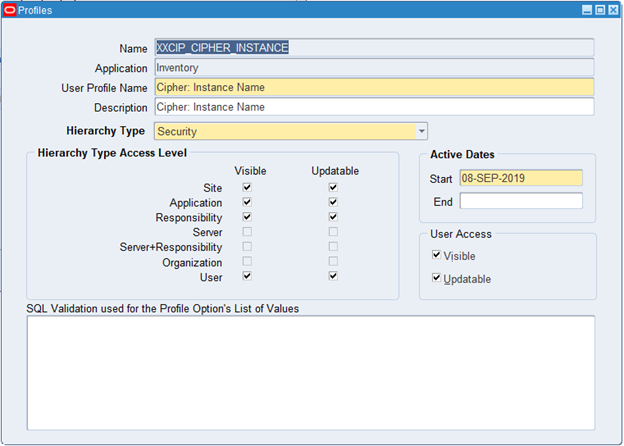
Name: XXCIP_CIPHER_INSTANCE
Application: Inventory
User Profile Name: Cipher: Instance Name
Description: Cipher: Instance Name
Hierarchy Type: Security
Hierarchy Type Access Level:
- Visible Checked
- Site
- Application
- Responsibility
- User
- Updateable Checked
- Site
- Application
- Responsibility
- User
User Access:
- Visible Checked
- Updateable Checked
Create “Cipher: Web Service URL”
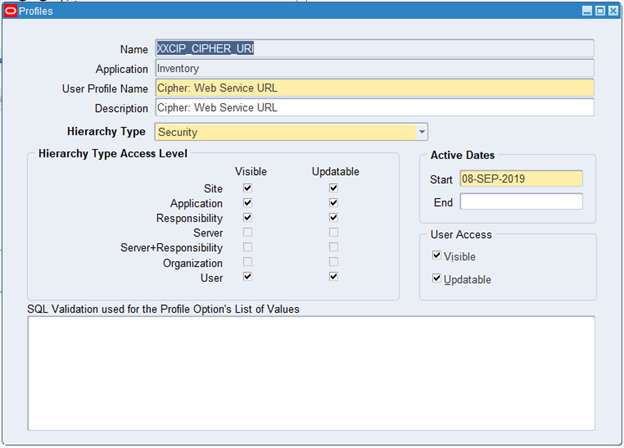
Name: XXCIP_CIPHER_URI
Application: Inventory
User Profile Name: Cipher: Web Service URL
Description: Cipher: Web Service URL
Hierarchy Type: Security
Hierarchy Type Access Level:
- Visible Checked
- Site
- Application
- Responsibility
- User
- Updateable Checked
- Site
- Application
- Responsibility
- User
User Access:
- Visible Checked
- Updateable Checked