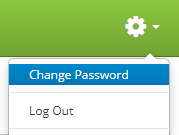
Click on the gear icon  in the upper right hand corner of the page and click on Change Password.
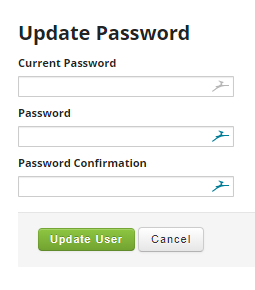
Then simply enter your current password along with your new password twice to change your password.
If you need to change another users password go to the User Manager and edit the user you want to change the password for.