A Cipher instance is defined as a unique set of print services, printer definitions, label formats, filters and actions. An instance typically maps to an Oracle E-Business instance and database and supports the multi-instance model used by almost all E-Business deployments.
With Cipher, setting up a new instance is simple. Just define a few parameters, give your new instance a name and click save. Competing printing products require a full installation of their technology stack for each instance. Skipjack recognizes that you have better things to do with your time and money, so we made it easy to create an instance.
The Cipher Instance name should be equivalent to the eight character maximum Oracle database instance name running the print processes and deriving label data on the database server. As with Oracle, the first two or three characters of the name should reflect the Application, with the remainder indicating the nature of the instance.
By default, Cipher comes pre-configured with a DEV instance. This instance is already assigned to the default skipjack user with full administrative rights.
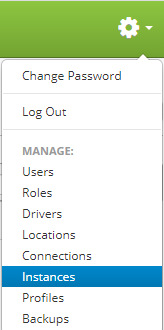
Instances are accessed by clicking the gear icon  in the upper right hand corner of the page and clicking on Instances.
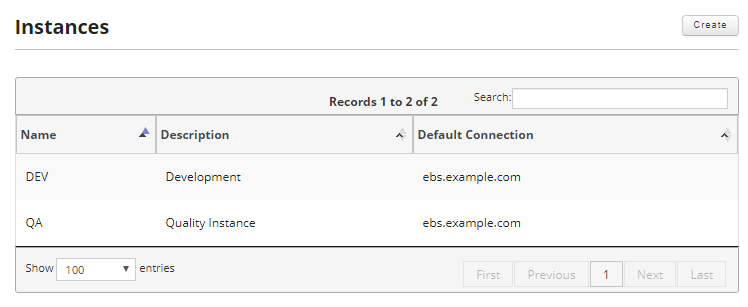
From this screen you can create new instances and edit or delete existing instances.
This section covers the following: