The top of the screen contains Cipher's main menu. All Cipher functions can be accessed from this menu.

Home

Clicking on the home button will bring you back to the dashboard.
Instance Menu

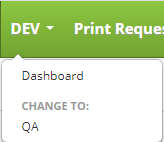
This is the instance menu and the name of the menu will depend on your instance names. When you first log in, this will be set to the name of the first instance you have created. Otherwise it will reflect the name of the current active instance.
Clicking on the instance menu will present you with a sub menu. This menu contains a link to the Dashboard, which is the same as the home button , and a list of instances under "CHANGE TO". The only instance that will not be in this list is the instance that is in the name of the instance menu. Clicking on any instance name under "CHANGE TO" will change Cipher to that instance along with change the name of the instance menu to the name of the instance you selected.
Print Requests
This brings you the Print Request history. From here you can search your previous label print requests.
Adhoc Print
This brings you to the Adhoc Print screen where you can print labels based on any of your label formats and to any of your printers.
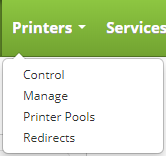
Printers
Printers contains a sub menu that will allow you to administer your printers.
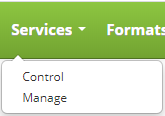
Services
Services contains a sub menu that will allow you to administer your label print services.
Formats
This brings you to the Formats screen where you can define and edit label formats.
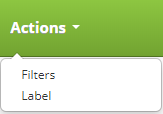
Actions
Actions contains a sub menu that allows you to create and edit label filters and actions.
Administration Menu
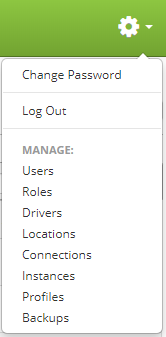
Clicking the gear icon  will present the administration menu. From here you can administer Cipher.