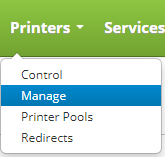
Delete a printer by clicking on the Printers drop down menu on the main menu and clicking on Manage.
Once on the printers page, locate the printer you want to delete and move your mouse over the printer to reveal the controls. Click on the delete button to delete the printer.

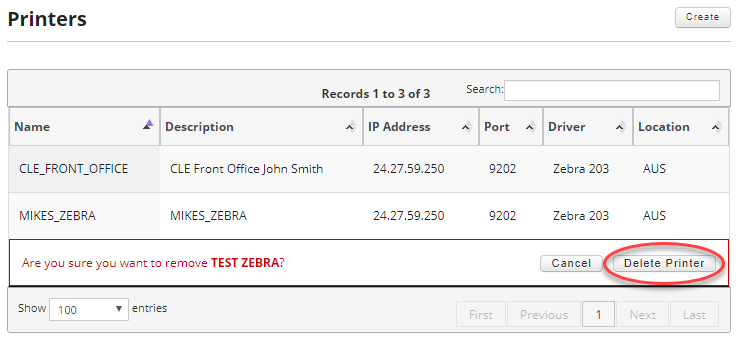
Once you click on the delete button, you will be prompted to confirm you want to delete the printer. If you do, click on the "Delete Printer" button to delete the printer.
You will get a confirmation that the printer was deleted.
