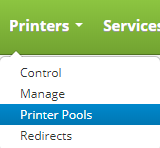
Printer Pools are accessed by clicking on the Printers drop down on the main menu and clicking on Printer Pools.
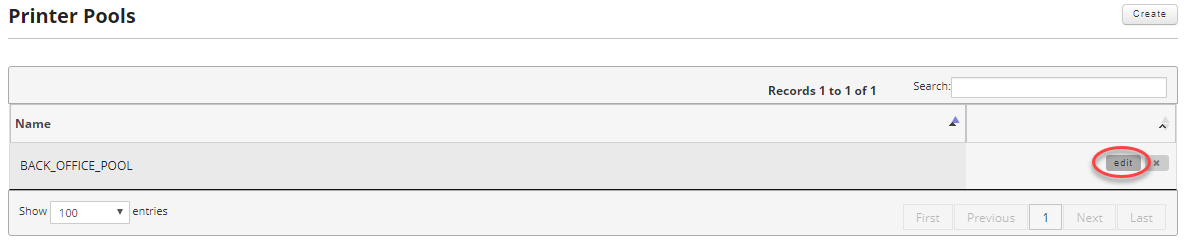
Once on the printer pools page find the printer pool you wish to edit and move your mouse over the record to reveal the controls. Then click the edit button.
You can edit everything about the printer pool including its location and name. However, if you change the name of the printer pool be sure to update the corresponding printer in EBS to reflect the same printer pool name so that the pool can be printed to.
You can add new printers by using the drop down. Printers you no longer require can be removed by clicking on the x next to the printer entry.
If you change the location, be sure to remove any printers that do not belong to that location.
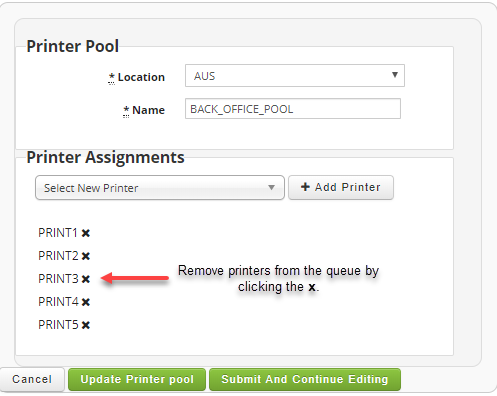
Once satisfied you can click on either the "Update Printer Pool" or "Submit And Continue Editing" buttons to save your changes to the printer pool.
