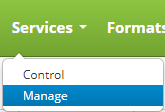
Create a service by clicking on the Services drop down menu on the main menu and clicking on Manage.
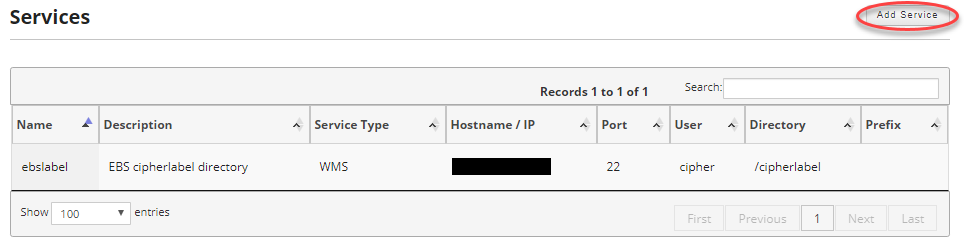
Click on the Add Services button on the upper right of the screen.
If you have not already read the Service Overview or the Cipher Label EBS Asynchronous Setup, please read them before continuing.
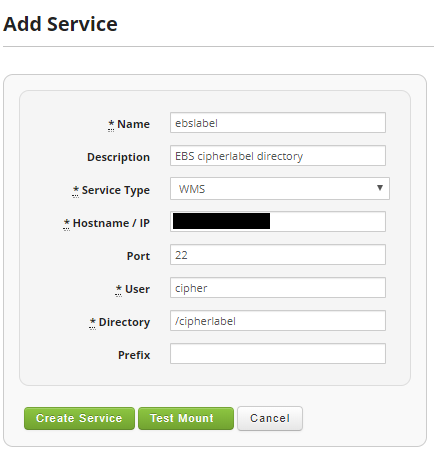
Fields:
- Name: The name of the service. Must be 10 characters and it cannot include spaces.
- Description: Give a description of the service. This is optional.
- Service Type: WMS
- Hostname / IP: The hostname or the IP address of the EBS server hosting the label output directory.
- Port: 22 unless your SSH port on the EBS server is different.
- User: The EBS OS service user account name.
- Directory: The full path to the label output directory on the EBS server.
- Prefix: The label prefix that was defined in the Configure WMS Profile Options for Asynchronous Operations setup. This is optional.
Once satisfied click on the Create Service button to save your service.
