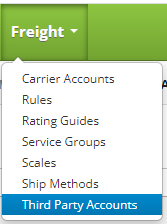
Create a Third Party Accounts by clicking on the Freight drop down menu on the main menu and clicking on Third Party Accounts.
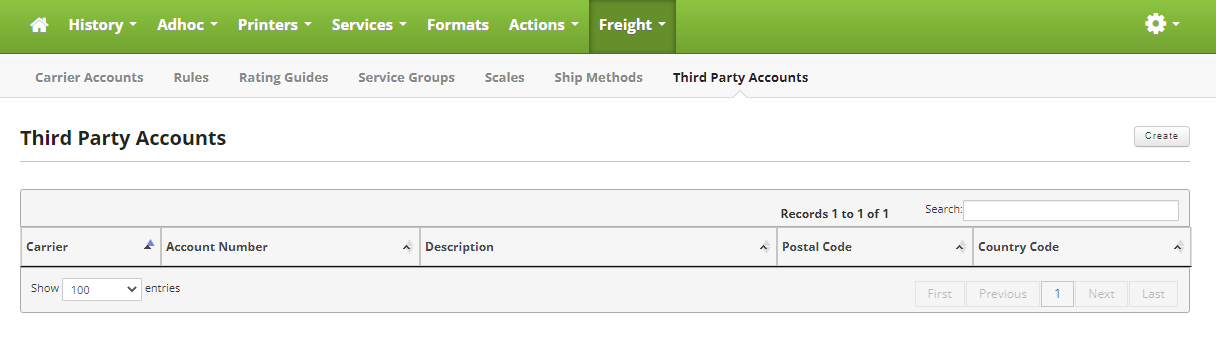
Once on the Third Party Accounts page, click on the Create button in the upper right hand corner of the screen to create a new Third Party Account.
Fill out the following form to add your new Third Party Account.
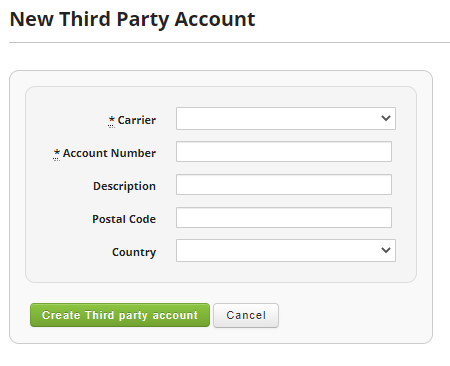
Fields:
- Carrier: Name for the Carrier associated with the account. Example Fedex, UPS etc.
- Account Number: The account number for the carrier, usually provided by the main company, example Walmart.
- Description: Best used to describe who the Third Party Account belongs to, for example "Walmart Third Party Account"
- Postal Code: Postal code you are shipping from.
- Country: Country you are shipping from.
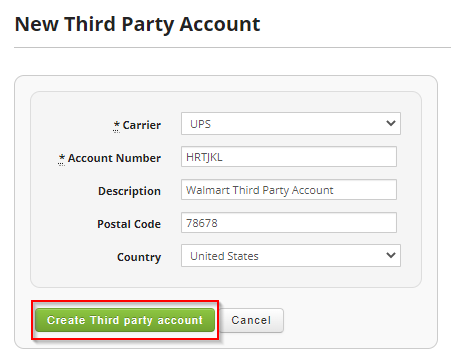
Once you are satisfied, click on the "Create Third Party Account" button to finish the process.