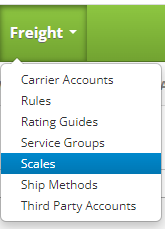
Create a Scale by clicking on the Freight drop down menu on the main menu and clicking on Scales.
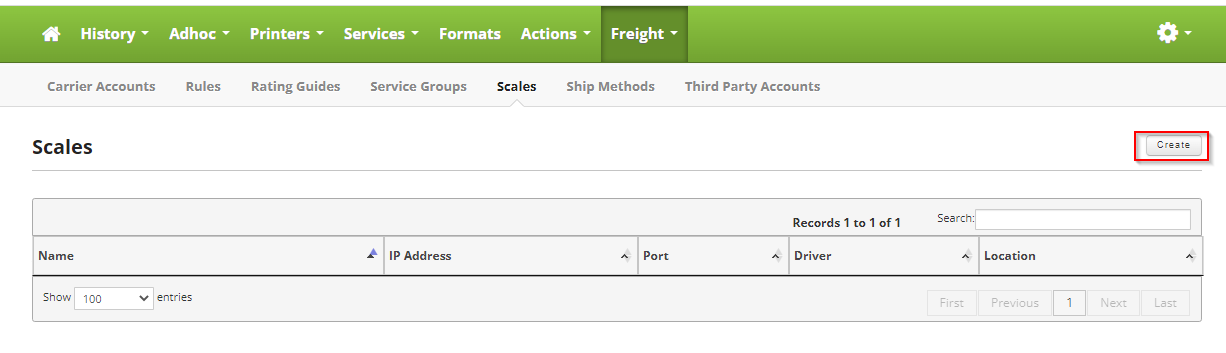
Once on the Scales page, click on the Create button in the upper right hand corner of the screen to create a new Scale.
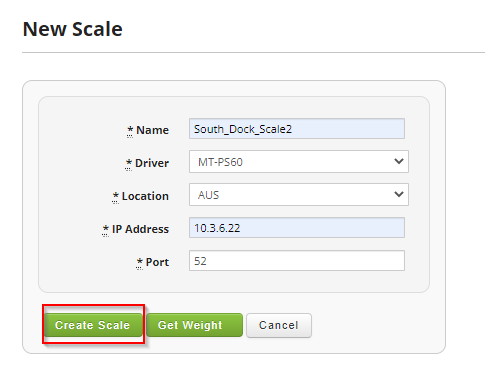
Fill out the following form to add your new Scale.
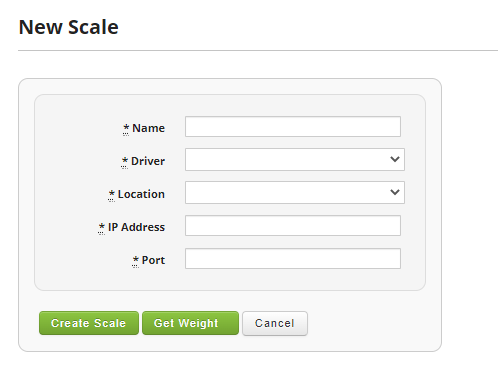
Fields:
- Name: Name of the scale, this could be a location, or maybe the brand of the scale.
- Driver: The driver to use that integrates with Skipjack. The scale must be IP enabled and currently only Mettler Toledo scales are supported. If you have a different scale create a support ticket and a new driver can be created.
- Location: This is the location of the scale, should be pre-filled options based on previous locations setup.
- IP Address: The IP Address of the scale.
- Port: The Port setup for the scale.
To test the connection setup you can hit the "Get Weight" button at the bottom of the screen to make sure a weight is returned from the scale.
Once you are satisfied, click on the "Create Scale" button to finish the process.