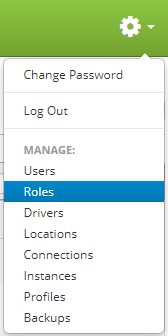
Roles are accessed by clicking the gear icon  in the upper right hand corner of the page and clicking on Roles.
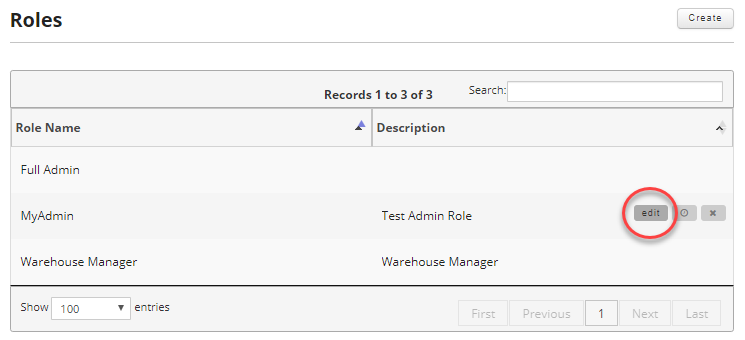
Once on the roles page, find the role you want to edit and move your mouse over the role to reveal the controls. Then click the edit button.
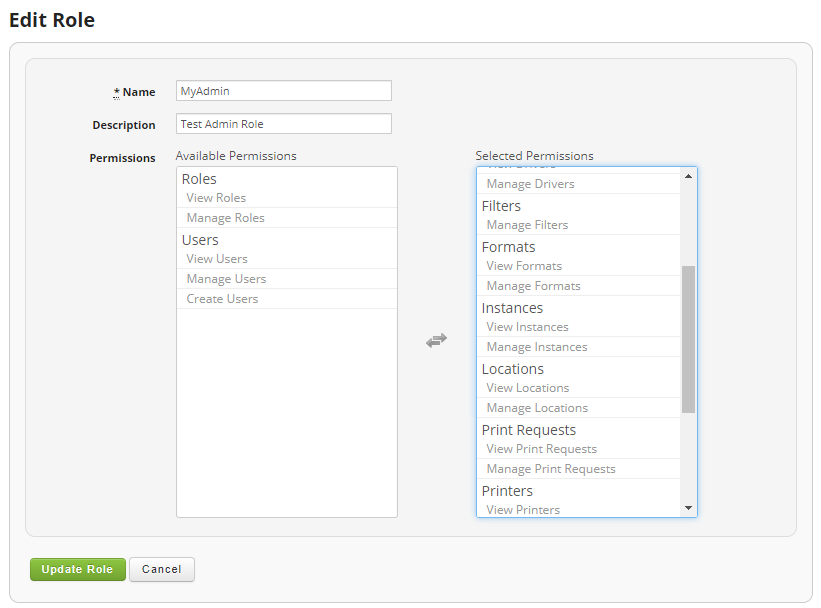
Just like in Creating a Role, update the information you wish to change and then click on the "Update Role" button to save your changes.
Fields:
- Name (Required): The name for the role.
- Description: Optionally provide a description for the role.
- Permissions: Click on the permissions listed under Available permissions to move them to Selected permissions and vice versa. You can click on the bold permission names to move the entire set of permissions for that group or click on an individual sub permission to transfer only that permission from the group.
For a list of available permissions, please see the Create a Role article.