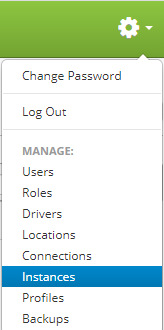
Instances are accessed by clicking the gear icon  in the upper right hand corner of the page and clicking on Instances.
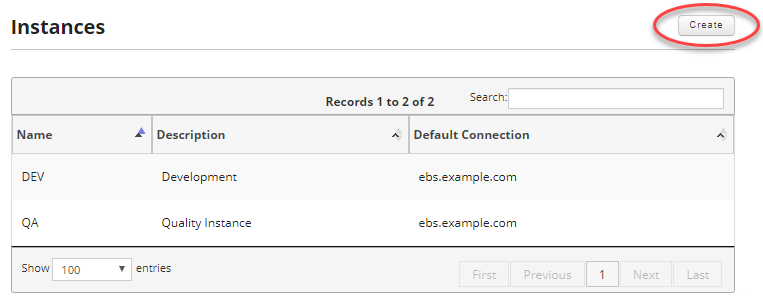
Once you are on the instances page, click on the Create button in the upper right hand of the screen to create a new instance.
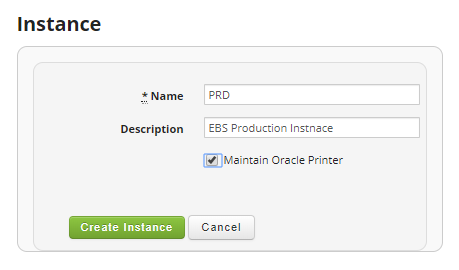
Provide the instance name, description, and check the Maintain Oracle Printer if it is desired for Cipher to create the printer definition in EBS. Once done click on the Create instance button in order to create your new instance.
Fields:
- Name (Required): Enter the name of your instance. It can be a maximum of 10 characters.
- Description: Enter an optional description of your instance. It can be a maximum of 100 characters.
- Maintain Oracle Printer: If checked this option allows for Cipher to create, update or delete printers in Oracle as they are modified in Cipher. See Cipher Common EBS Setup for details about installing the Cipher objects in EBS.
Video: