The Cipher PL/SQL and Java objects can be downloaded directly from within the Cipher application. To download the objects, log into Cipher with the skipjack user or another user that has administrative rights.
Downloading Oracle Objects
Once logged in click on the gear icon  in the upper right-hand corner of the top menu and click on the Profiles menu option.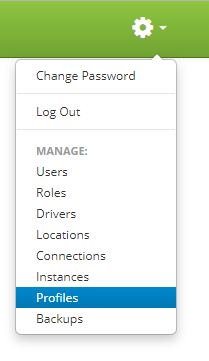
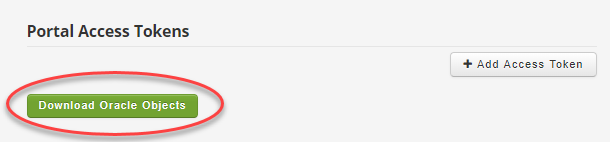
Clicking on the Profiles menu option will bring you to the Application Profiles page. You will find a “Download Oracle Objects” button on the lower right of the Application Profiles page under Portal Access Tokens. Clicking on this button will download the Cipher-Oracle.zip file containing all the EBS specific objects that need to be loaded.
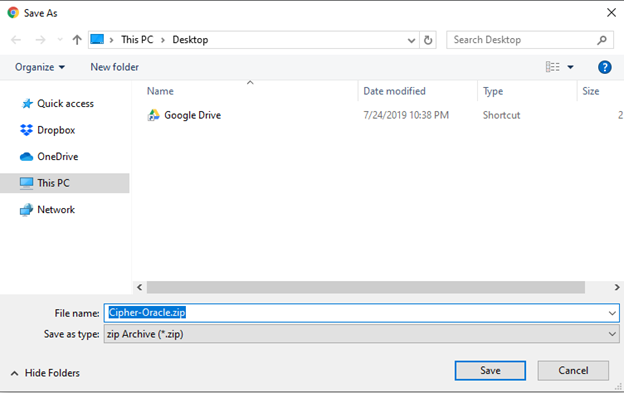
The “Cipher-Oracle.zip” file contains the following:
- Cipher_Freight
- Directory containing code specific to Cipher Freight. If you are not using Cipher Freight, then you can ignore installing these files.
- Cipher_Java
- Java files that need to be loaded into the EBS database using Oracle’s loadjava utitlity.
- Cipher_Jason
- PL/SQL objects that are needed for working with json files.
- Cipher_Label
- PL/SQL objects for Cipher Label. If you are not using Cipher Label, then you can ignore installing these files.
- docx
- Document showing the Cipher specific profile options that need to be added to EBS. This document is outdated. It is suggested you refer to the Setup Cipher Profile Options section for the proper details.
Installing Cipher Oracle Objects