Cipher has two levels of security, roles and location control. The two of these combine to give the system administrator total control over which functions, services, and devices a user has access to for a given instance. This section covers locations specifically. See the roles section for more details on roles.
Cipher location control enables companies to separate printers, formats, and services by locations within an instance. This allows each location to control only their label and printer setups.
Depending on your organizational structure, examples of Cipher naming conventions for your locations can correspondent to
- Oracle Organization Code for your physical warehouse
- Actual physical locations within a single Oracle Business Unit (ex. Shipping Dock, Manufacturing Warehouse)
- City, State, Country, etc
- Any combination of the above or a scheme of your own choosing.
Optimally location, instance, and roles should be defined before users are created. This way when new users are being added, roles and locations can be immediately assigned to the user allowing for a more efficient setup process. See Creating a User for more details on assigning roles and locations to a user.
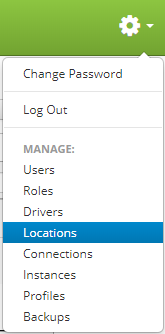
Locations are accessed by clicking the gear icon  in the upper right hand corner of the page and clicking on Locations.
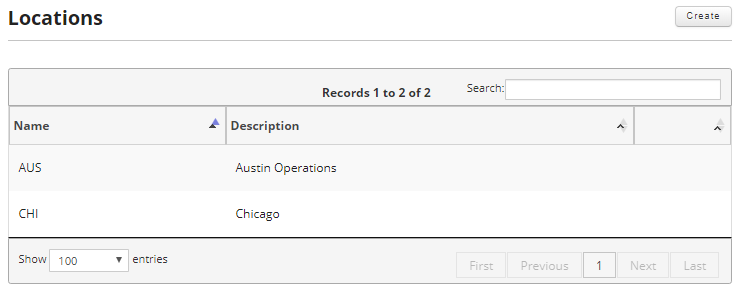
From this screen you can create new locations and edit or delete existing locations.
This section will cover the following: